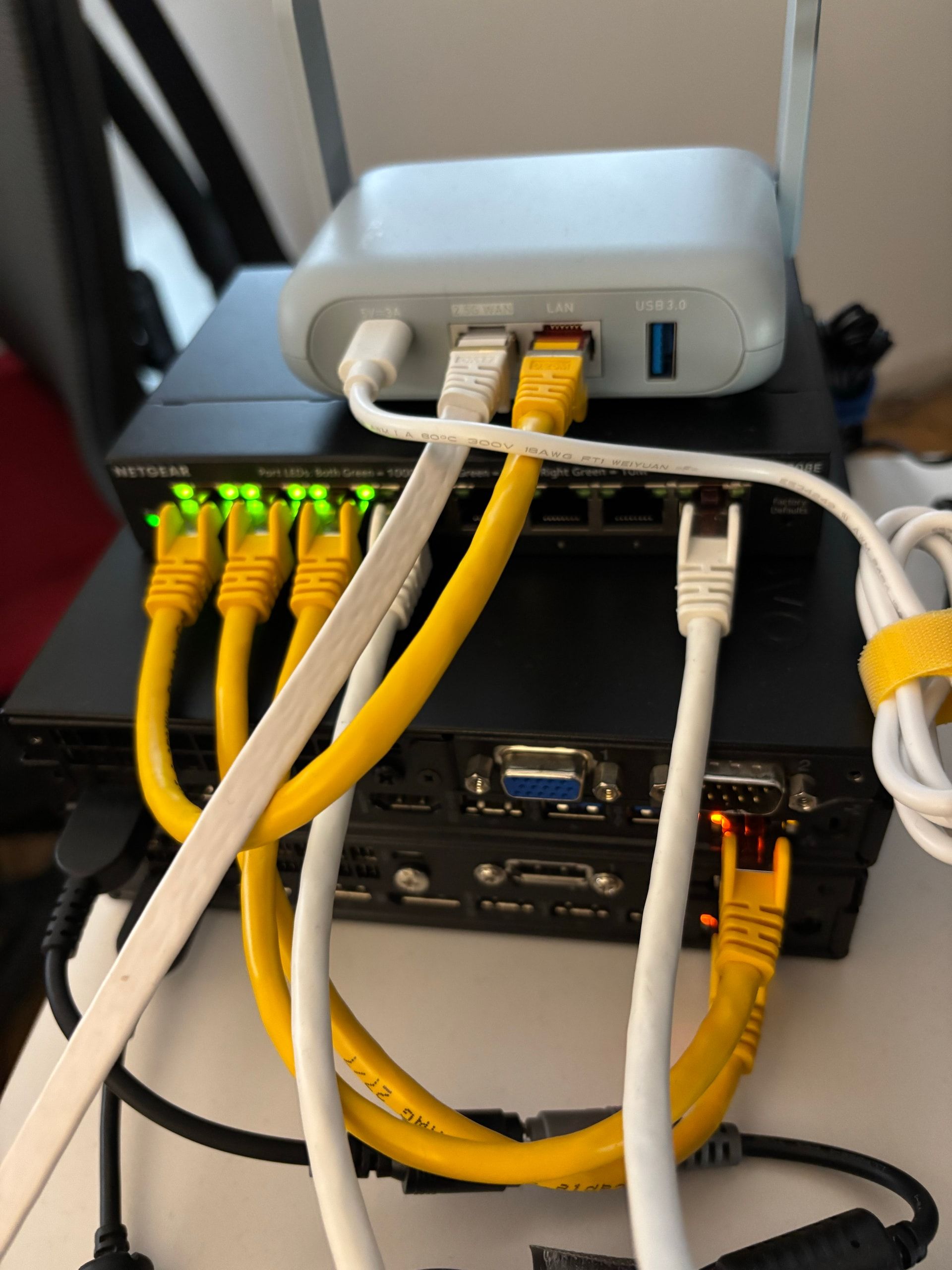
GL.iNet Beryl AX GL-MT3000
OperationalIsolation router between the home network and the lab, serves the admin network
- Wi-Fi
- Wi-Fi 6 (AX3000)
- WAN
- 1 × 2.5 GbE
- LAN
- 1 × 1 GbE
- OS
- OpenWrt + LuCI
Home lab
I'm building a small company network at home to train as a SOC analyst. This lab lets me learn through hands-on practice, analyse security events and document my progress.
As of
Two operational hosts, an Active Directory domain and a single Wazuh agent: DC01. A first AD account creation has been found in the SIEM.
Not yet deployed or tested in this infrastructure.
Clean up the test account and plan DC01 backups, then join a Windows 11 workstation to the domain. Sysmon, the Wazuh agent and workstation GPOs will extend the collection already validated on the domain controller.
The infrastructure is taking shape progressively to support this SOC analysis workflow.
01
Two hypervisors, pfSense and the ad.lab.internal domain are operational. The Windows 11 employee workstation still needs deployment and domain joining.
02
DC01 is the only active Wazuh agent. Security log collection is validated by event 4720; Sysmon on Windows 11 will follow.
03
Once event collection is validated, I plan controlled exercises from the ATTACK VLAN, followed by scenarios involving the DMZ.
04
First exercise: classify an authorised AD account creation without confusing it with a compromise. Other training write-ups are available separately.
Read the write-upsThe Beryl separates the lab from the home network. GS308E ports 2 and 3 carry VLANs to pve1 and pve2 via VLAN-aware vmbr0. pfSense handles routing and filtering; DC01 → Wazuh is validated on TCP 1514–1515. This does not validate every inter-VLAN flow: AD access for the future workstation remains to be defined, without opening management interfaces to all VLANs.
VLAN 1
192.168.8.0/24
Router, switch, Proxmox, admin laptop
VLAN 20
10.0.20.0/24
DC01 · 10.0.20.10 · Windows Server 2025, operational AD DS and DNS
VLAN 30
10.0.30.0/24
Planned: Windows 11, Sysmon and Wazuh agent
VLAN 40
10.0.40.0/24
Planned: attack workstation and controlled exercises
VLAN 50
10.0.50.0/24
Wazuh · 10.0.50.10 · 1 active agent (DC01) · TheHive planned
VLAN 60
10.0.60.0/24
Planned: Linux server and exposed services for exercises
Planned 10-inch 8U mini rack to house the lab; not yet installed
Isolation router between the home network and the lab, serves the admin network
Managed switch, 802.1Q trunks carrying the lab VLANs to both Proxmox nodes
pve2 (192.168.8.11), hosts pfSense CE 2.9.0 (VM 101, WAN 192.168.8.20) and Wazuh (VM 102, 10.0.50.10), collecting events from DC01
pve1 (192.168.8.10), hosts DC01 (VM 200, 10.0.20.10), Windows Server 2025 with Active Directory, DNS and the lab's only Wazuh agent
Attacker
Attacker workstation on the ATTACK VLAN, kept outside the rack